
Refill Your Prescription
Follow the steps below to order a refill online from your mobile device.

Order Your Refill
Simply sign in below through the portal. Once signed in, request your refill and pay for your prescription.

Automatic Refills
Want refills monthly? Sign up for auto-refills and never stress about having exactly what you need. *Some exclusions apply.

Prepare Compound
Once we receive your payment, please allow 2-4 business days for your order to be custom compounded, filled, verified, and prepared for shipping or pickup.

Check Your Phone
You will receive status notifications via SMS text messages to your cell phone while your prescription is being prepared within the pharmacy.

Order Ready
You will receive a tracking number via email once your order is scanned to be shipped by FedEx. If you are local and picking up, we will text when your order is ready.
Log in to order your refill
Order your refill
Once you sign in, you can order your refill, update your shipping preferences, and process your payment. You may also sign up for the Automatic Refill Program, if eligible. (Note: Controlled substances are not eligible for automatic refills).
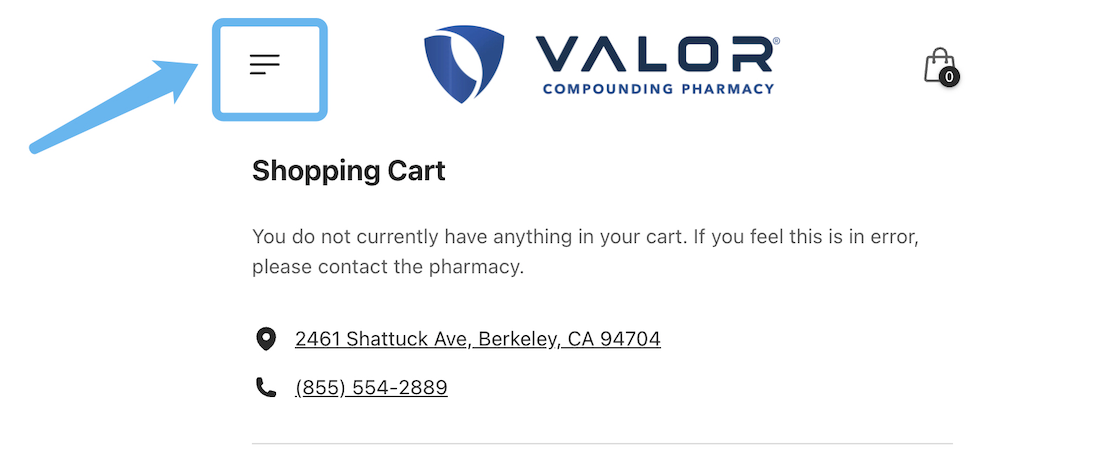
Log in to begin
Step 1: Log in to Tabz (Formerly known as HealNow).
Step 2: Click the three lines at the top left of your page.
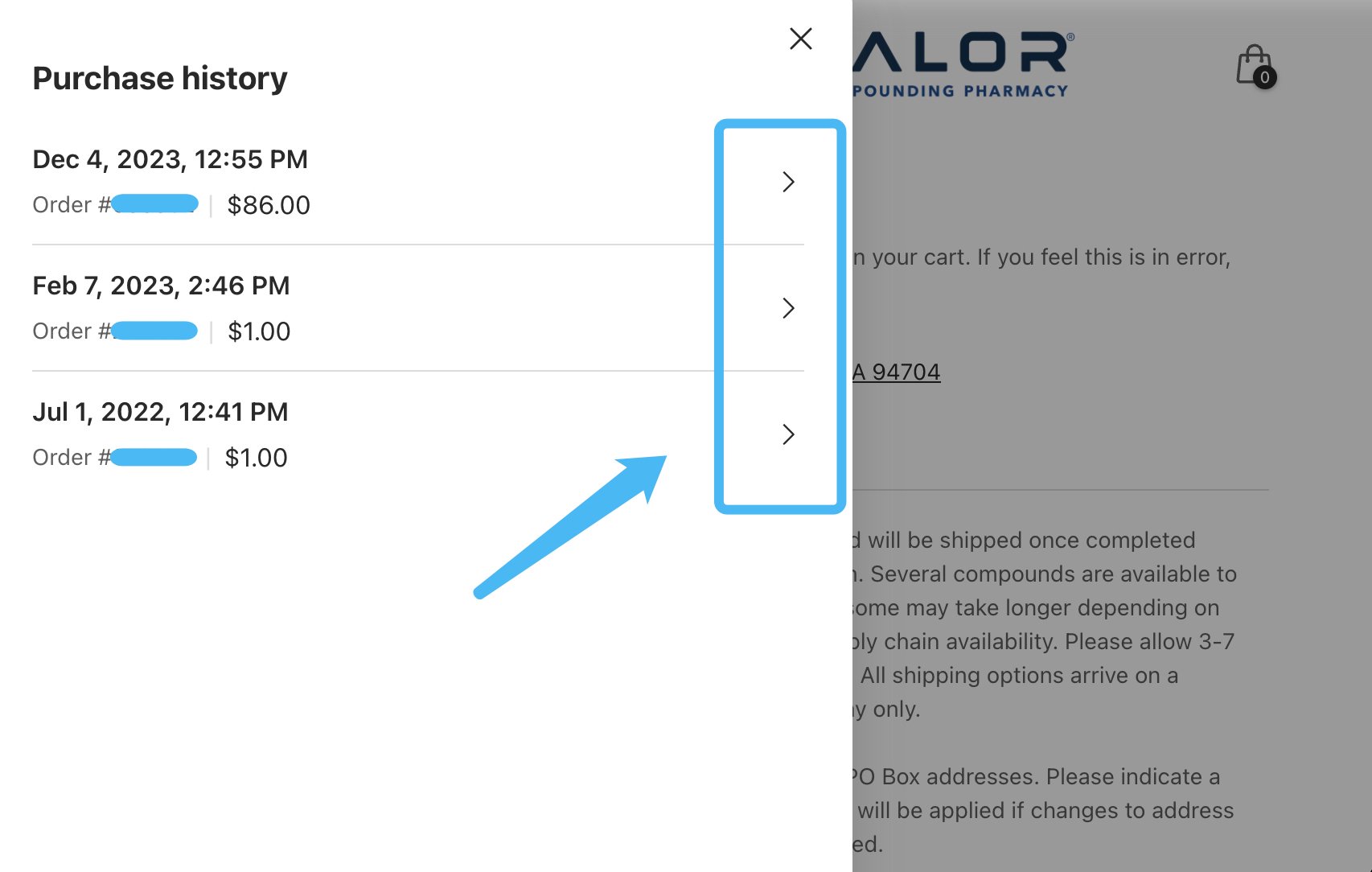
View past orders
Step 3: While viewing your recent orders, you should see an arrow directly to the right. Please click it and then move on to Step 4.
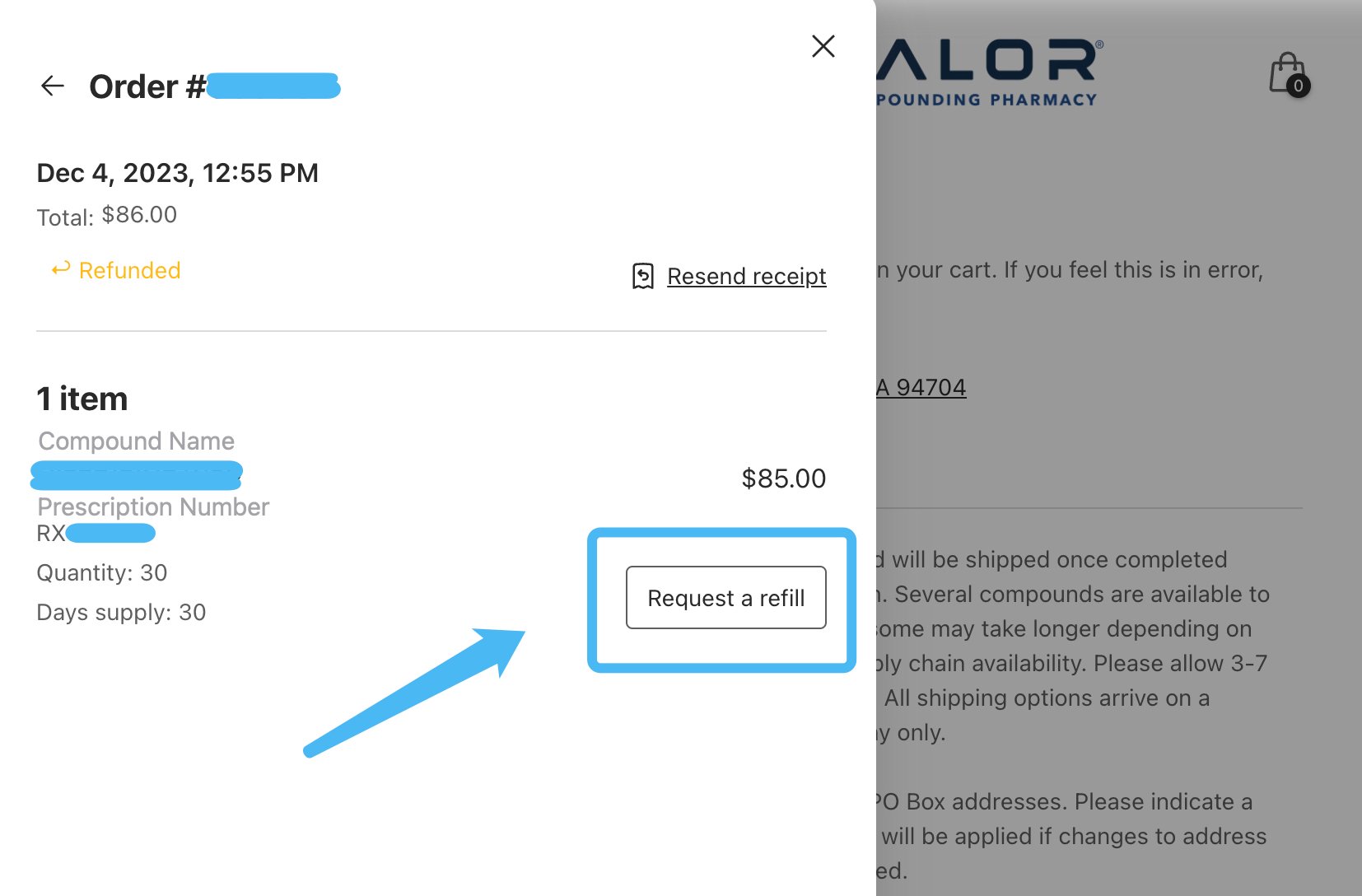
Confirm and we'll prepare your order
Step 4: While viewing the details of a recent order, you will see an option that says “Request a refill.” Click this option to begin your request for a refill.
Step 5: Continue through the screens to submit your refill request.
1-minute how-to video showing how to request a refill
This video will walk you through how to request a refill through Tabz (formerly HealNow).
Call: (855) 554-2889
Fax: (855) 205-8456
Email: customercare@vcprx.com
Hours of Operation:
Monday-Friday: 9am-6pm PST
Saturday: 8am-9am PST

Questions? We're here to help.
Our Customer Care Specialists and Pharmacists are standing by to guide you. Give us a call or send an email by clicking the buttons below.